Best Feedback Website Platforms in 2026: Complete Comparison Guide

Bertin
12/18/2025
Collecting and managing user feedback is essential for building better websites and digital products. According to recent studies, companies that actively collect and act on user feedback see up to 25% higher customer satisfaction rates and 15% faster product iteration cycles. But with so many feedback platforms available, choosing the right one can be overwhelming.
In this comprehensive guide, we'll compare the best feedback website platforms in 2026, helping you find the perfect tool for your team's needs. Whether you're a designer looking for visual annotation tools, a product manager seeking user insights, or a developer needing bug tracking integration, we've got you covered.
Why Feedback Platforms Matter
Before diving into the comparison, let's understand why dedicated feedback platforms are crucial for modern web development and design workflows:
- Context Preservation: Visual feedback tools capture exactly what users are referring to, eliminating guesswork
- Team Collaboration: Centralized platforms keep all feedback in one place, making it easier to track and resolve issues
- Time Savings: Automated feedback collection reduces back-and-forth emails and meetings
- Better Prioritization: Structured feedback helps teams prioritize improvements based on user needs
- Improved Communication: Clear annotations and comments reduce misunderstandings between stakeholders
Now, let's explore the top feedback platforms available in 2026.
1. EchoPastel: Modern Visual Feedback Platform
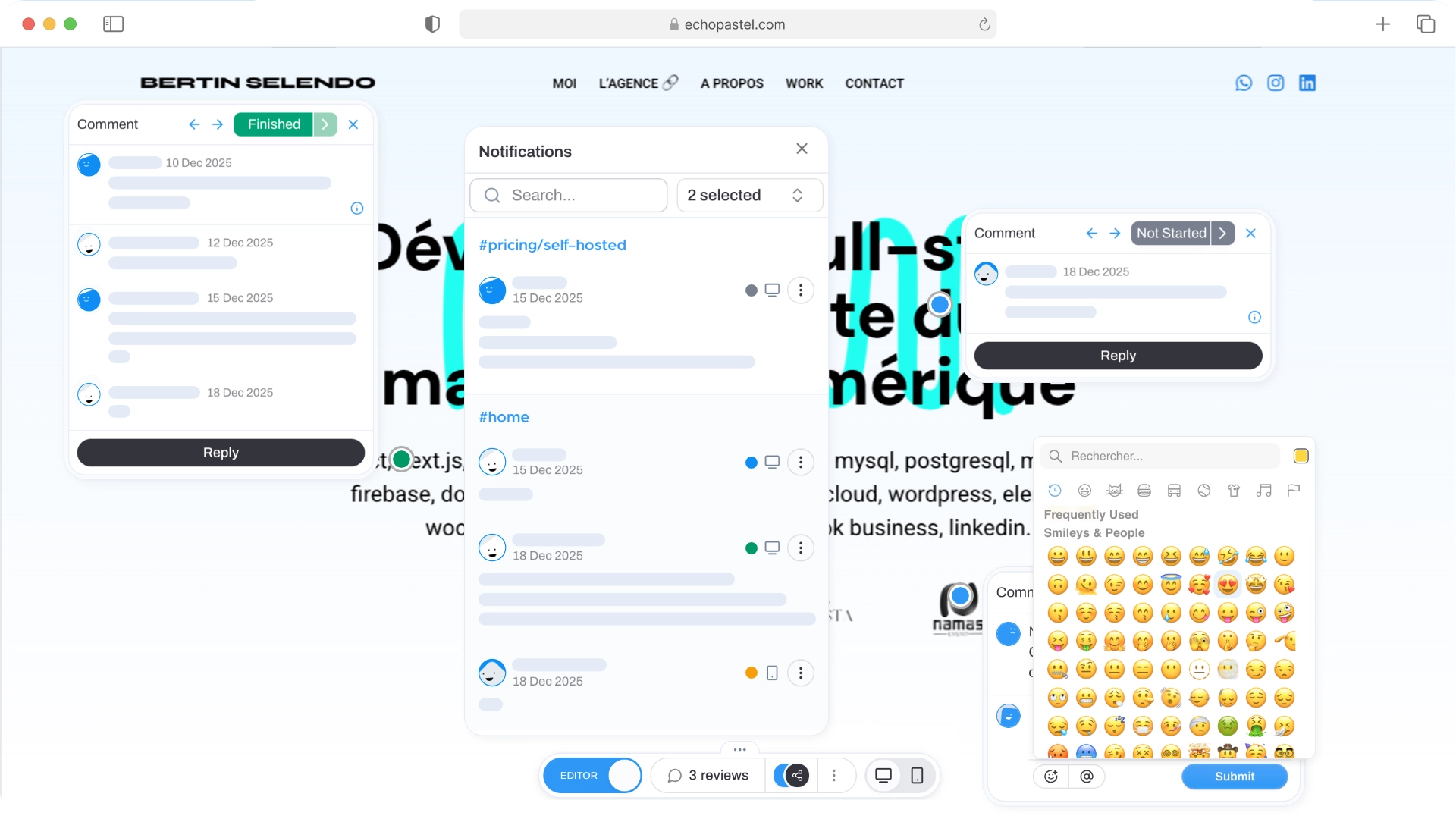
EchoPastel is a cutting-edge visual feedback platform designed to streamline collaboration between designers, developers, and stakeholders. What sets EchoPastel apart is its innovative multi-strategy fingerprint system that ensures annotations remain attached to the right elements, even when pages change dynamically.
Key Features
- Visual Annotations: Place precise annotatizons directly on web pages with a simple click
- Multi-Strategy Fingerprinting: Advanced system that uses CSS selectors, XPath, content fingerprints, and context information to maintain annotation accuracy
- Real-Time Collaboration: Share Echos (feedback projects) with your team and collaborate with @mentions and threaded replies
- Multi-Device Support: Collect feedback on both desktop and mobile devices
- Team Management: Organize multiple projects, control permissions, and manage teams efficiently
- Public Sharing: Share feedback projects via public links without requiring account creation
Pricing
- Free: $0/month - 1 project, 2 active echos, unlimited comments and collaboration, basic email support
- Pro: $8/month or $72/year - Unlimited projects, unlimited active echos, unlimited comments and collaboration, chat + email support
- Lifetime: $159 (one-time) - Unlimited projects, unlimited active echos, unlimited comments and collaboration, chat + email support, no recurring costs
- Enterprise: Custom pricing - All Pro features plus custom branding, custom integrations, dedicated support + SLA
Best For
EchoPastel is ideal for design teams, development agencies, product managers, and freelancers who need a modern, intuitive feedback solution that works seamlessly across devices and handles dynamic content gracefully.
Why Choose EchoPastel?
EchoPastel stands out for its modern approach to visual feedback. The platform's multi-strategy fingerprint system solves a common problem in feedback tools: annotations breaking when page content changes. This makes it particularly valuable for teams working with dynamic content like carousels, sliders, and single-page applications.
The platform's clean interface and intuitive workflow make it easy for non-technical stakeholders to provide feedback, while powerful collaboration features ensure teams can work efficiently together.
2. Marker.io: Bug Tracking Meets Visual Feedback
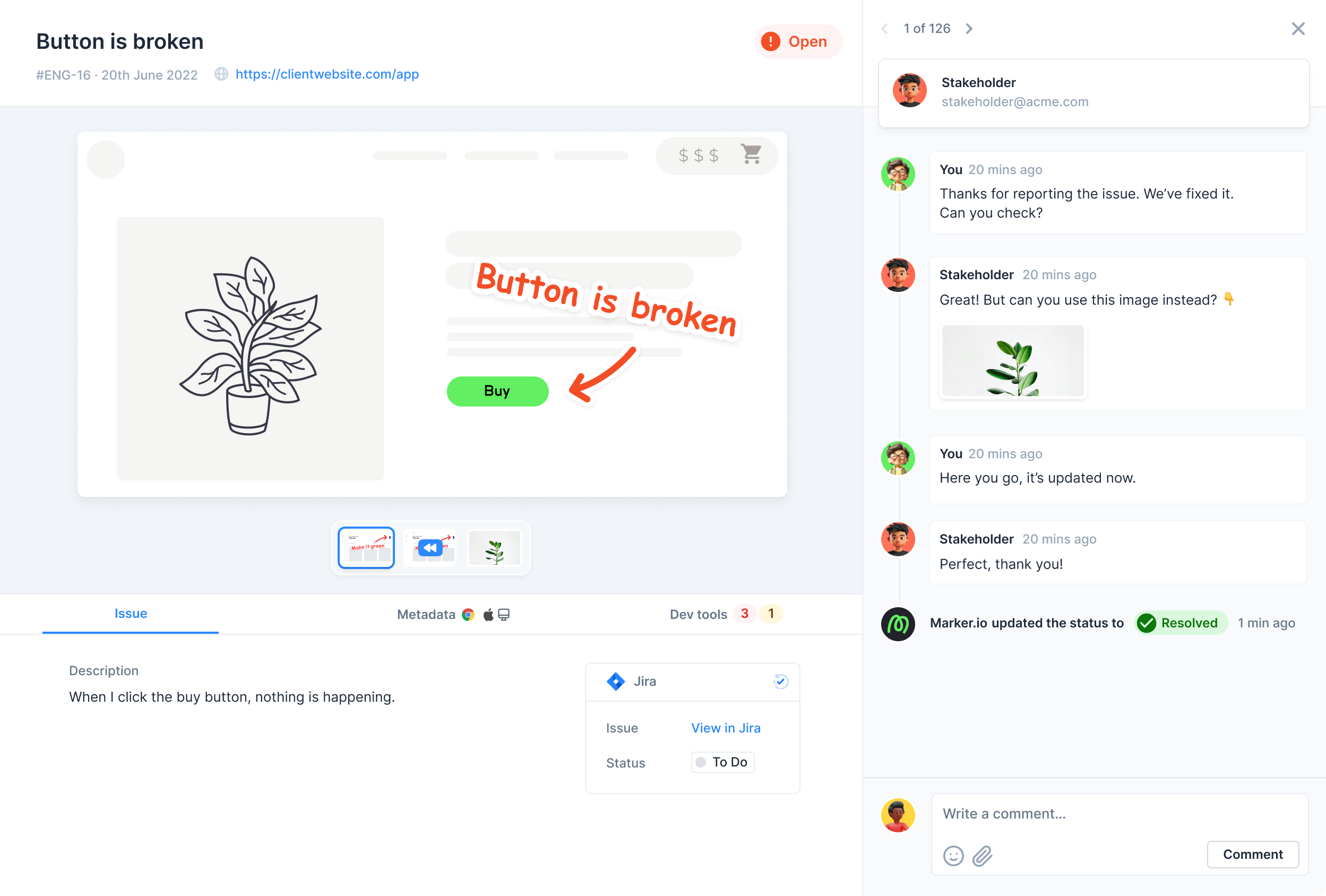
Marker.io is a visual feedback platform that seamlessly integrates bug tracking with website annotation. It's designed for teams that need to bridge the gap between collecting feedback and managing it in their existing development workflow.
Key Features
- Visual Bug Reports: Capture screenshots and annotations directly from websites
- Deep Integrations: Connects with Jira, GitHub, Linear, Slack, Trello, and 30+ other tools
- Automatic Metadata: Captures browser, OS, screen size, console errors, and network requests
- Team Collaboration: Assign issues, add comments, and track resolution status
- Customizable Workflows: Adapt the platform to match your team's process
Pricing
- Starter: $39/month for 3 users
- Team: $99/month for 10 users
- Company: Custom pricing for larger teams
Best For
Marker.io is perfect for development teams that already use project management tools like Jira or Linear and want visual feedback to flow directly into their existing workflow.
Strengths and Considerations
Marker.io excels at connecting visual feedback with development workflows. However, it's more focused on bug tracking than general design feedback, which might be limiting for teams that need broader collaboration features.
3. Userback: Modern Visual Feedback with Video
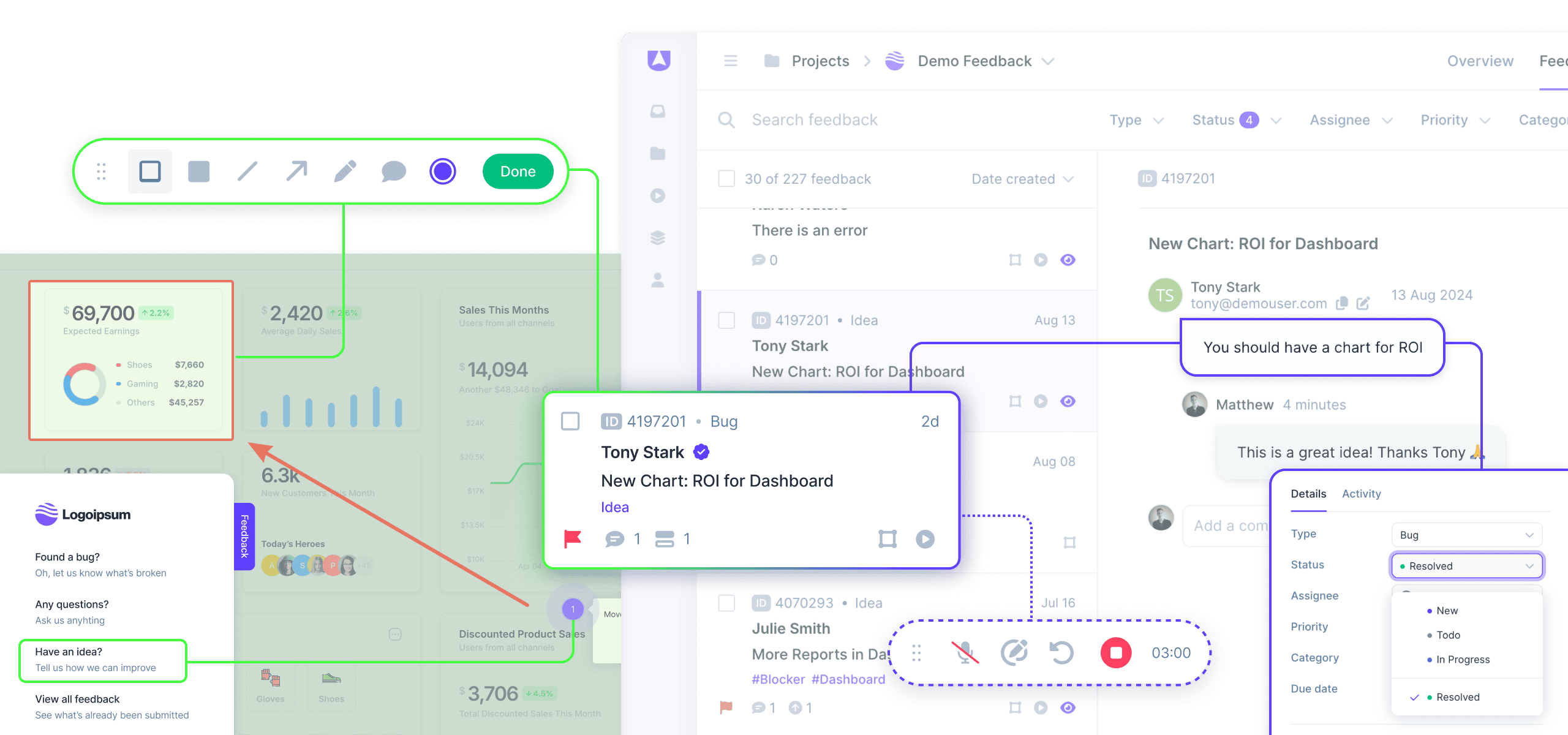
Userback is a contemporary feedback platform that combines visual annotations with video feedback capabilities. It's designed for teams that want a comprehensive feedback solution with modern features.
Key Features
- Visual Annotations: Click-to-annotate feedback directly on websites
- Video Feedback: Record screen videos to explain complex issues
- Session Replay: See exactly what users experienced before submitting feedback
- Widget Customization: Brand the feedback widget to match your site
- Integrations: Connect with Slack, Jira, Trello, GitHub, and more
- User Identification: Automatically capture user information and metadata
Pricing
- Free: Limited features for small projects
- Starter: $29/month for basic features
- Growth: $99/month for advanced features
- Business: Custom pricing for enterprise needs
Best For
Userback is ideal for product teams and SaaS companies that need comprehensive feedback collection including video explanations and session context.
What Makes Userback Stand Out
The video feedback feature is particularly valuable for complex issues that are difficult to explain with text alone. The session replay functionality provides crucial context that helps teams understand user behavior and issues more deeply.
4. BugHerd: Simple Visual Feedback Pioneer
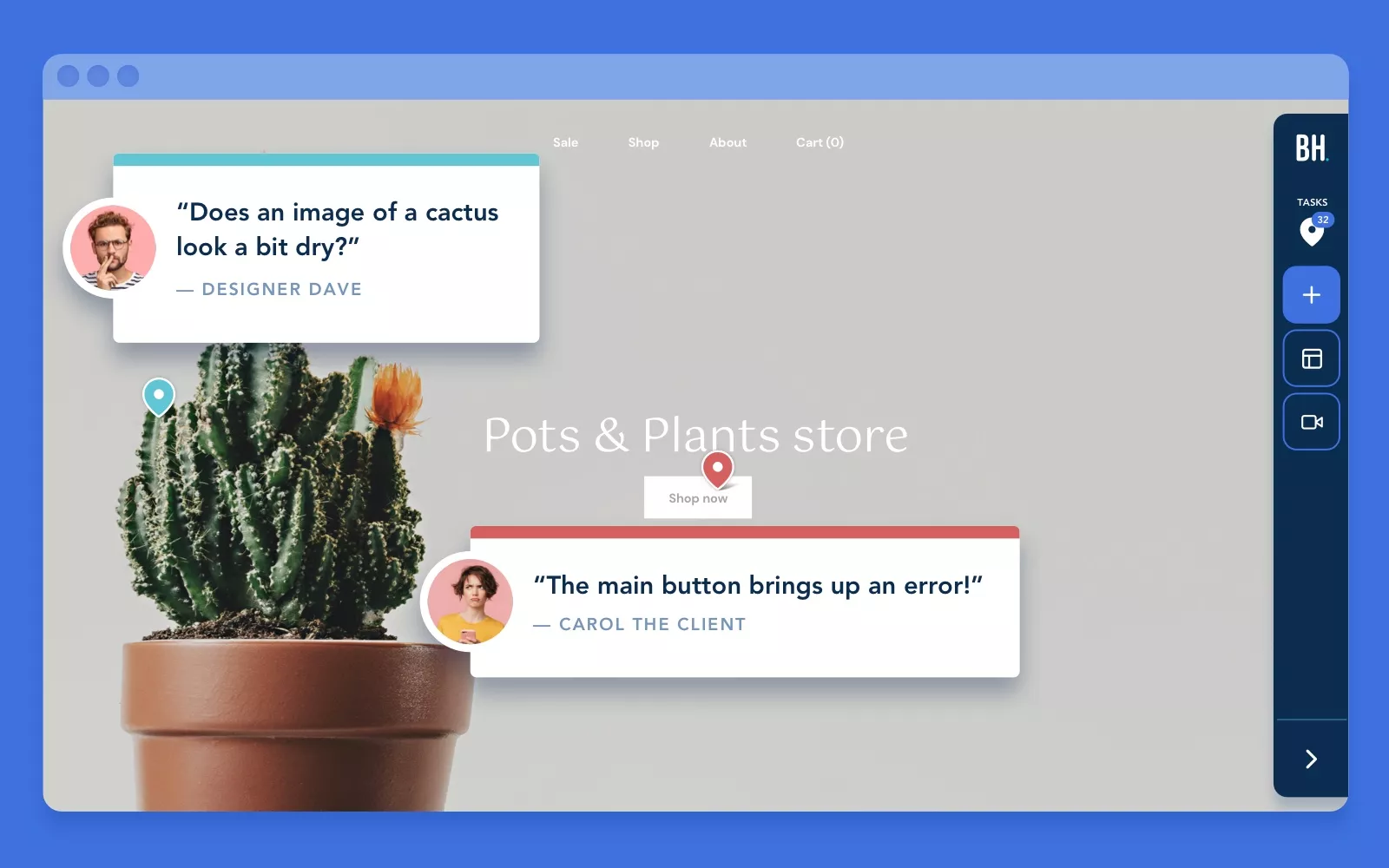
BugHerd is one of the original visual feedback tools, known for its simplicity and ease of use. It's been helping teams collect website feedback since 2011, making it a veteran in the space.
Key Features
- Visual Pins: Simple point-and-click feedback system
- Task Management: Built-in kanban board for organizing feedback
- WordPress Integration: Native WordPress plugin for easy setup
- Team Collaboration: Assign tasks, add comments, and track progress
- Client Access: Easy sharing with clients and stakeholders
- Browser Extension: Works without code changes on most websites
Pricing
- Standard: $39/month for 5 users
- Studio: $129/month for 15 users
- Agency: $249/month for 25 users
Best For
BugHerd is perfect for agencies, freelancers, and teams that prioritize simplicity and don't need complex integrations or advanced features.
Why Teams Choose BugHerd
BugHerd's strength lies in its simplicity. The platform doesn't try to do everything - it focuses on making visual feedback collection as straightforward as possible. This makes it particularly appealing to teams that want to get started quickly without a steep learning curve.
5. Canny: Modern Product Feedback Platform
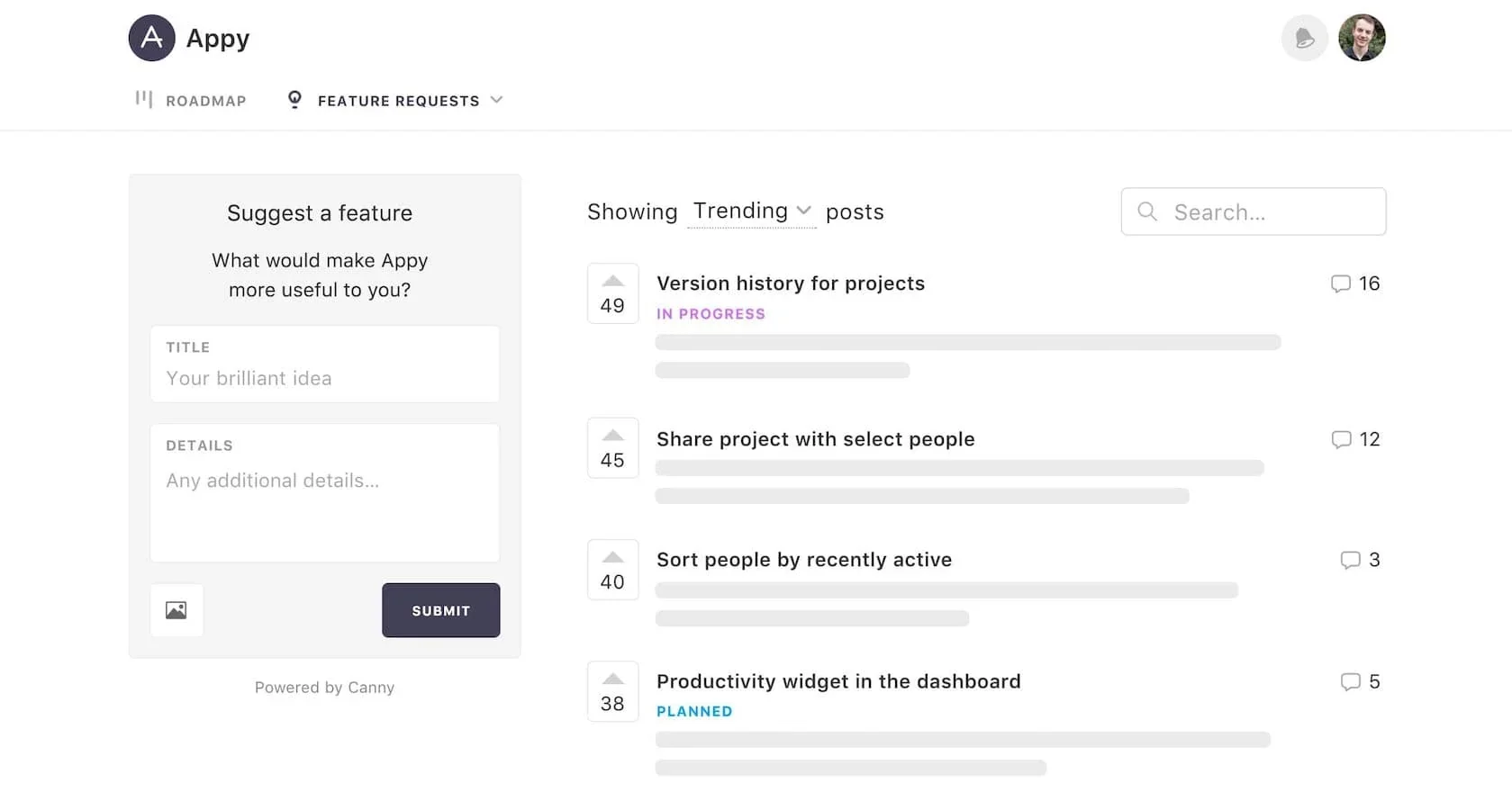
Canny is a modern product feedback platform that helps teams collect, organize, and act on user feedback. It's designed with a focus on transparency and user engagement.
Key Features
- Feedback Boards: Public or private boards for collecting feature requests
- Roadmap: Share your product roadmap with users
- Changelog: Announce new features and updates
- User Voting: Let users vote on features they want most
- Status Updates: Keep users informed about feature development
- Integrations: Connect with Slack, Intercom, Segment, and more
Pricing
- Free: For startups with limited features
- Starter: $50/month for growing teams
- Growth: $200/month for established products
- Business: Custom pricing for enterprise
Best For
Canny is ideal for product teams at SaaS companies and startups that want to build a transparent, user-engaged product development process.
What Sets Canny Apart
Canny's strength is in creating a feedback loop between users and product teams. The public roadmap and changelog features help build user trust and engagement, while the voting system helps teams prioritize based on user demand.
Comparison Table: Feedback Platforms at a Glance
To help you make an informed decision, here's a comprehensive comparison of all the platforms we've covered:
| Platform | Starting Price | Best For | Key Strength | Visual Annotations | Integrations |
|---|---|---|---|---|---|
| EchoPastel | Free | freelancers, Design teams, agencies | Simplicity, Multi-strategy fingerprinting | Yes (Advanced) | Growing |
| Marker.io | $39/month | Dev teams with Jira/GitHub | Bug tracking integration | Yes | 30+ tools |
| Userback | $29/month | Product teams, SaaS | Video feedback | Yes | 15+ tools |
| BugHerd | $39/month | Agencies, freelancers | Simplicity | Yes | Limited |
| Canny | Free | SaaS startups | Roadmap transparency | No | 15+ tools |
Feature Comparison
| Feature | EchoPastel | Marker.io | Userback | BugHerd | Canny |
|---|---|---|---|---|---|
| Visual Annotations | Yes | Yes | Yes | Yes | No |
| Video Feedback | No | No | Yes | No | No |
| Session Replay | No | No | Yes | No | No |
| Public Roadmap | No | No | No | No | Yes |
| Idea Voting | No | No | No | No | Yes |
| Mobile Support | Yes | Yes | Yes | Yes | Yes |
| Free Plan | Yes | No | Yes | No | Yes |
How to Choose the Right Feedback Platform
Selecting the right feedback platform depends on several factors. Here's a guide to help you make the best choice:
1. Consider Your Primary Use Case
Visual Design Feedback: If you need to collect feedback on design elements, layouts, and visual aspects, choose a platform with strong visual annotation capabilities:
- EchoPastel: Best for modern teams needing reliable annotations on dynamic content
- Userback: Great if you also need video feedback
- BugHerd: Perfect for simple, straightforward visual feedback
Bug Tracking: If your primary goal is tracking and fixing bugs:
- Marker.io: Excellent integration with development tools
- EchoPastel: Good for visual bug reporting with collaboration
User Behavior Analysis: If you want to understand how users interact with your site:
- Userback: Session replay with feedback
Product Development: If you're building features based on user requests:
- Canny: Great for transparent product development with roadmap and voting
2. Evaluate Your Team Size
- Solo or Small Team (1-5 people): Consider free plans from EchoPastel or Canny
- Medium Team (5-20 people): Look at EchoPastel, Marker.io, or Userback
- Large Team (20+ people): Enterprise plans from Marker.io or Userback
3. Assess Integration Needs
If you use specific tools, check integration compatibility:
- Jira/GitHub/Linear users: Marker.io has the best integrations
- Slack-heavy teams: Most platforms offer Slack integration
- WordPress sites: BugHerd has native WordPress support
4. Budget Considerations
- Tight Budget: Start with free plans (EchoPastel, Canny)
- Moderate Budget ($8-100/month): Consider EchoPastel Pro ($8/month), Userback, or BugHerd
- Flexible Budget: Evaluate Marker.io, EchoPastel Lifetime ($159 one-time), or enterprise plans
5. Technical Requirements
- No-Code Solution: Most platforms work without code changes
- Dynamic Content: EchoPastel's fingerprint system handles this best
- Mobile Testing: Ensure the platform supports mobile device feedback
Best Practices for Using Feedback Platforms
Regardless of which platform you choose, here are some best practices to maximize your feedback collection:
- Set Clear Guidelines: Define what kind of feedback you're looking for and how to provide it
- Respond Promptly: Acknowledge feedback quickly to show users their input matters
- Prioritize Feedback: Use voting, tags, or status systems to prioritize actionable feedback
- Close the Loop: Update users when you implement their suggestions
- Combine Tools: Consider using multiple platforms for different feedback types (e.g., EchoPastel for visual feedback + Canny for feature requests)
Conclusion: Finding Your Perfect Feedback Platform
Choosing the right feedback platform is crucial for building better products and improving user experience. Each platform we've reviewed offers unique strengths:
- EchoPastel stands out for its modern approach to visual feedback with reliable annotation tracking
- Marker.io excels at connecting feedback with development workflows
- Userback offers comprehensive feedback collection including video
- BugHerd provides simplicity and ease of use
- Canny emphasizes transparency and user engagement
For most teams starting with visual feedback, EchoPastel offers an excellent balance of modern features, ease of use, and affordability. The free plan allows you to test the platform with 2 active Echos, making it easy to evaluate before committing.
Ready to transform how you collect and manage feedback? Get started with EchoPastel today and experience the difference that modern visual feedback can make for your team.
Have questions about choosing the right feedback platform? Contact us or explore our documentation to learn more about how EchoPastel can help your team collaborate more effectively.